1Password for Claude - AI Agents That Log In Without Ever Seeing Your Password
1Password and Anthropic shipped a zero-exposure integration that lets Claude log into websites and finish real tasks without the model ever touching a credential. Here's how it works, what it's good for, and where the limits are.
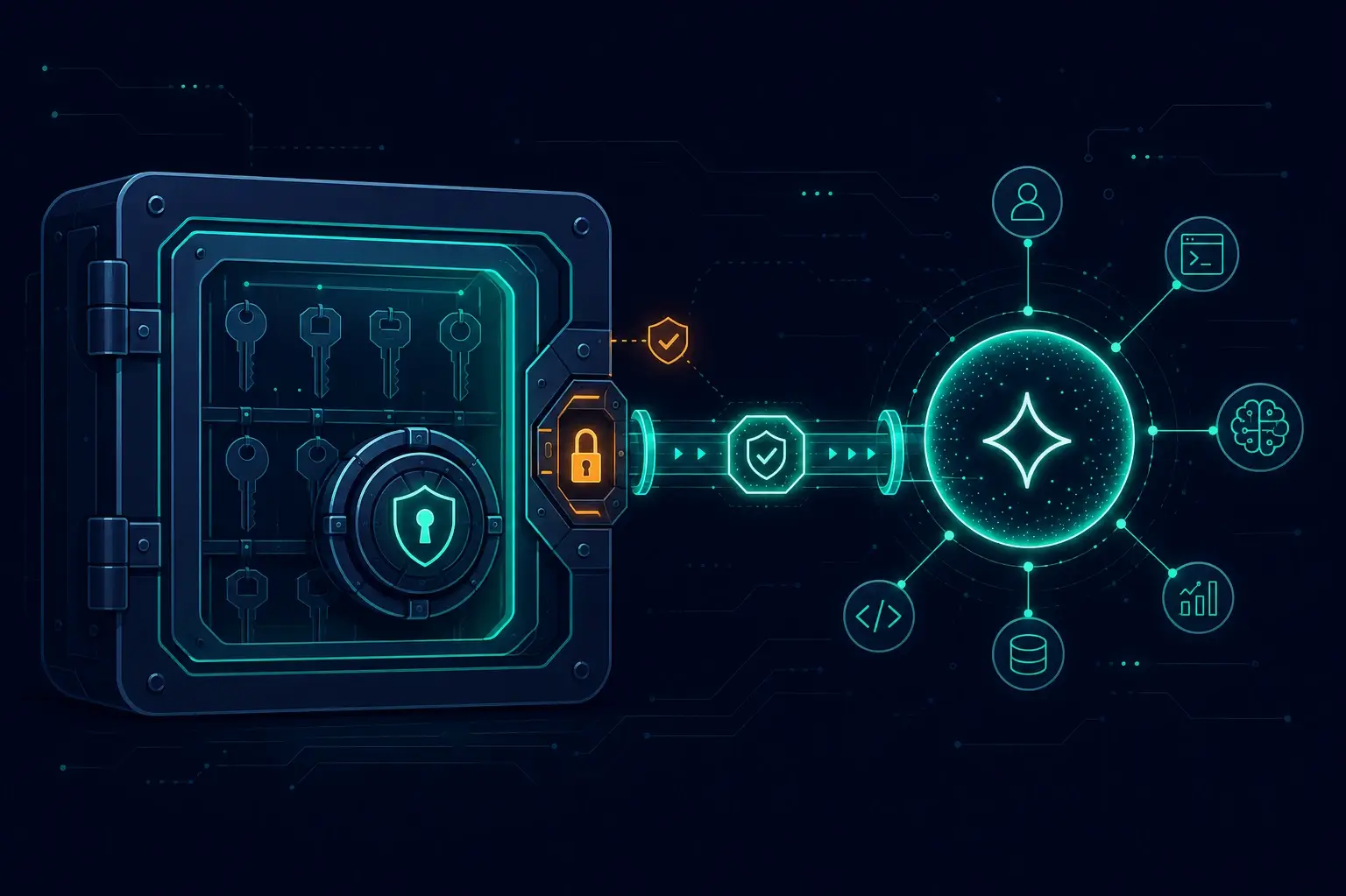
I run browser agents almost daily now — for testing checkouts, filing reports, poking at client dashboards. And every one of those sessions eventually hits the same wall: a login form. Until now the "solutions" were all bad. Paste the password into the prompt (now it's in the model's context, the logs, and possibly the training feedback loop). Stash it in an .env the agent can read (now it's on disk for anything running in that session). Or take over manually every time (now your "autonomous" agent is a fancy screen recorder). I've refused to give agents real credentials on client projects for exactly this reason.
On July 16, 2026, 1Password and Anthropic announced an integration that attacks this problem at the right layer: Claude can log into websites and complete multi-step tasks while the credential never enters the model, its context, or Anthropic's systems. They call the architecture "zero exposure", and it's the first agent-credential design I've seen that I'd actually deploy.
The Problem: Agents Want Your Secrets
An AI agent that books your travel, checks your Stripe dashboard, or renews a domain has to authenticate as you. The naive approach — hand the agent the password — breaks the most basic security rule we have: secrets should be visible to as few parties as possible. An LLM with your password in context is a party. So is every log line, every cached conversation, every prompt-injection attack that convinces the agent to repeat what it knows.
This isn't theoretical caution. According to an Economist Enterprise survey cited in the coverage of the announcement, 98% of surveyed companies experienced disruptive AI incidents in recent months. Agents are being rolled out faster than the security model underneath them — I wrote about a version of this pattern in supply-chain security, where autonomous agents installing packages nobody reviews became an attack surface of their own.
1Password's CTO Nancy Wang frames the fix precisely: don't hand agents your secrets — let a user grant the agent permission to use a credential without letting the agent see it.
What Actually Shipped
Two pieces, announced together:
- 1Password for Claude — an integration where Claude, driving a browser, can request a login and 1Password fills it in through a channel the model can't observe.
- Agentic Mode — a defensive layer in the 1Password browser extension that activates whenever a compatible AI agent takes control of the browser, locking the vault down to only what was explicitly approved for the current task.
Availability at launch: paid Claude plans (Pro, Max, Team, Enterprise) using the Claude desktop app plus the Claude in Chrome extension, together with the 1Password desktop app and browser extension — macOS first, on 1Password individual, family, and business plans.
How It Works
The flow is the interesting part, because every step is designed so the secret and the model never meet:
- You give Claude a task that requires a login — say, "check my Stripe revenue for the week and flag anything unusual."
- Claude hits the login form and requests a credential. 1Password shows you which credential is being requested and for what.
- You approve with biometrics (Touch ID on the Mac). No approval, no fill. Every credential request is explicit — there's no standing "the agent may use my vault" grant.
- 1Password injects the credential directly into the page through its own secure channel. The password and any TOTP one-time code go from vault to form field, bypassing the agent entirely.
- The scope ends with the task. Access is granted at runtime, for this task, and expires when it completes.
- 1Password scans the page after every autofill to verify no secret is left readable in the DOM. If a form submission fails, the filled values are wiped before control returns to the agent.
Two details I particularly like:
- Multi-site brokering. A real task ("book this trip") spans several logins. 1Password brokers credential access across multiple sites within a single approved task, so the agent isn't interrupted at every hop — and you aren't trained to click "approve" reflexively six times in a row. Approval fatigue is how permission systems die; this design takes it seriously.
- Agentic Mode works even without the integration. The moment a compatible agent takes over the browser, the 1Password extension hides its interface and locks the vault regardless of what the task is. The protection is the default, not an opt-in.
What the model sees — and what it never sees
| Claude knows | Claude never sees |
|---|---|
| A login credential was used | The password itself |
| Which task it belongs to | TOTP / one-time codes |
| That the login succeeded | Any other vault item |
| — | The 1Password UI while in Agentic Mode |
That's the whole trick, and it's the same principle behind hardware security keys and payment tokenization: authorization without disclosure. The secret stays in a vault that can prove it was used, instead of leaking into a context window that can't prove anything.
The Benefit — Who Gets What
For individuals: agents can finally do the boring authenticated chores — redeem expiring credits, download invoices, check bookings — without you either babysitting the browser or donating your password to a language model.
For small businesses and teams: this is the bigger deal. The launch examples include Claude pulling Stripe revenue summaries and flagging anomalies — exactly the kind of recurring task my clients want automated, and exactly the kind I've been declining to automate because the credential story was indefensible. With task-scoped, biometric-approved, never-disclosed credentials, "let the agent check the dashboard every morning" becomes something you can sign off with a straight face — and defend in a GDPR context, because you can say precisely who (or what) had access to what, when.
For enterprises: employees using Claude in the browser get the lockdown behavior automatically. Every credential request is visible, explicit, and requires authorization — which turns shadow-AI credential handling from an unknown into a policy.
For developers: the same launch expands 1Password's MCP server story — securing credentials across IDEs, terminals, and CI/CD workflows. If you run coding agents (I do, heavily — see why the harness matters more than the model), the direction is the same: the agent gets capabilities, never secrets.
Limits and Open Questions
I'd deploy this, but with eyes open:
- Platform coverage is narrow at launch. macOS, Claude desktop + Chrome extension, paid plans only. Windows and other agent platforms are "later."
- Zero exposure protects the credential, not the session. Once the agent is logged in, it acts with your authority. A prompt-injected agent can't leak a password it never saw — but it can still do damage inside the authenticated session. Task-scoping helps; it doesn't eliminate the class.
- You're trusting the injection channel. The security now concentrates in the 1Password extension and its page-scanning logic. That's a much better place to concentrate trust than an LLM context window, but it's still a single vendor's implementation — audit logging details, for instance, weren't spelled out at launch.
- Approval UX will decide everything. If users end up rubber-stamping biometric prompts, the model degrades to "slightly slower password autofill." The multi-site brokering suggests 1Password understands this; real-world behavior will tell.
The core lesson: the right way to give an AI agent access is the way we already learned with OAuth, passkeys, and payment tokens — grant the use of a secret, never the secret itself. This launch is that principle applied to agents, and I expect it to become the baseline every agent platform gets measured against.
If you're wiring AI agents into your business workflows and the credential question is what's been stopping you — that's exactly the kind of setup I help teams build, from the automation itself to the access model that keeps it defensible.
Sources: 1Password press release, 1Password blog — 1Password for Claude, Born City coverage (German), Help Net Security.
Enjoyed this?
Get new posts as they land.
Keep reading

The Supply Chain Is the New Attack Surface - npm Worms and Slopsquatting in 2026
A self-replicating npm worm and AI-hallucinated packages are the supply-chain threats hitting JavaScript developers right now. Here's how they work and how I lock my projects down.
Purging Cloudflare's Cache Automatically on Every Netlify Deploy
This site sits on Netlify behind Cloudflare, and after every deploy Cloudflare kept serving stale HTML. Here's why the Netlify-CDN-Cache-Control header was a dead end for static files, and the 26-line build plugin that purges Cloudflare's edge cache the moment a deploy goes live — including the CJS/ESM gotcha that broke the first build.

Debugging LCP on a Real Site - A Case Study on marcofaul.de
A first-person walkthrough of fixing LCP on this very site - a JS reveal animation gating first paint, a font preload that held rendering hostage, a 5.8s image CDN cold start, and the measurement noise that almost sent me chasing ghosts.