Proving Where Data Stops — How I Debug Multi-System Integrations
A shop field that never updates, a CDN that can't find its images, a sync that "randomly" skips entries. A method for multi-system integrations — instrument every hop, read the boundary evidence, hand over proof instead of opinions — with five real cases from the last weeks.
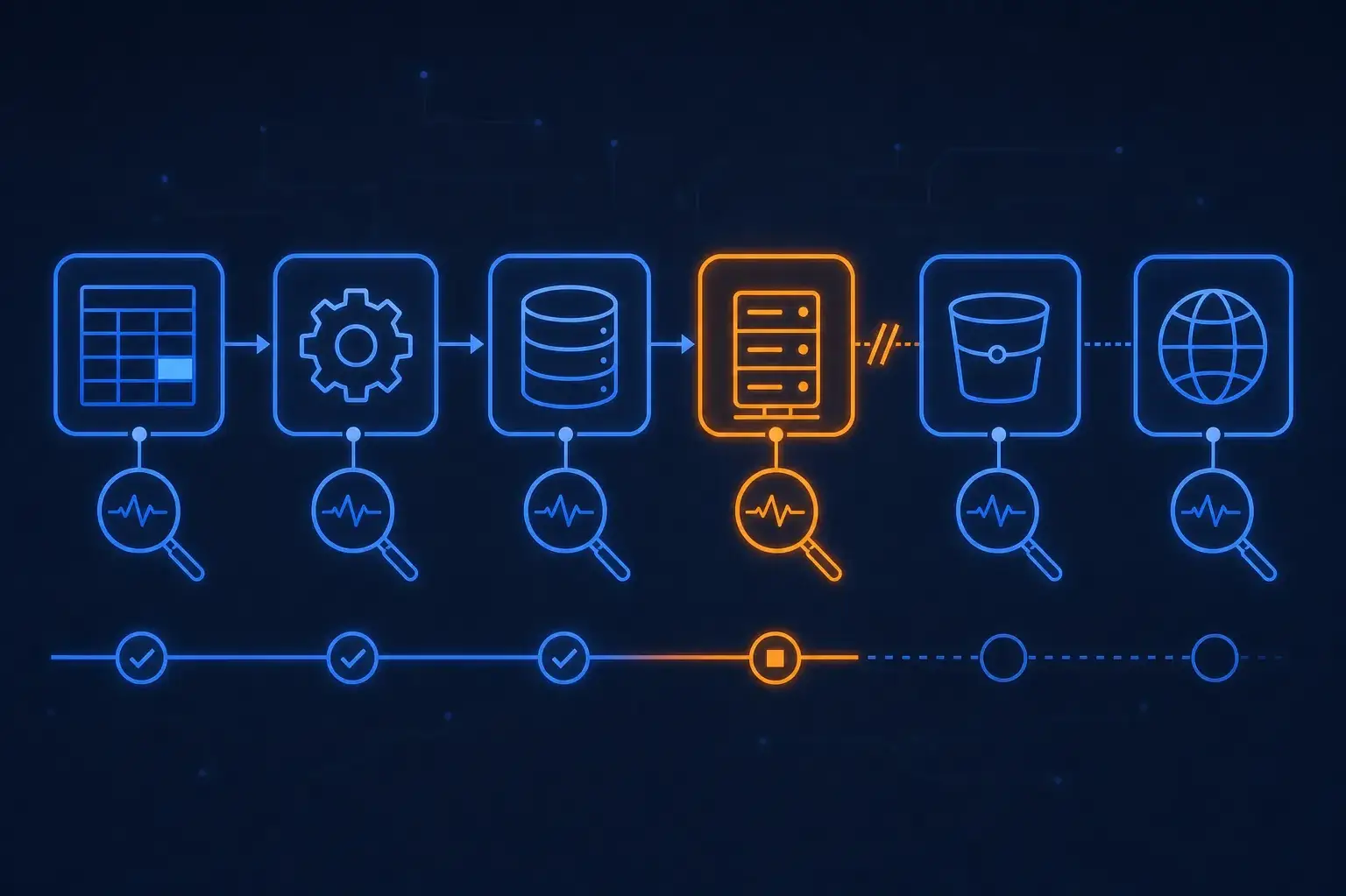
Most "the shop is broken" tickets aren't about the shop. A value comes from a PIM, passes through an export job, an upload, a connector, a database, a cache and a CDN, and shows up wrong on a product page. Every team in that chain has a reasonable theory that the problem is somewhere else. The ticket then ping-pongs for days, because everyone argues from opinion.
I stopped arguing a while ago. The job is to prove where the data stops — find the last hop where it was still correct and the first hop where it isn't — and hand that over as something reproducible. Five cases from the past few weeks, anonymized, show what that looks like.
The Method
- Write down the hops. Source system, export, transport, import, storage, delivery. If you can't list them, you can't bisect them.
- Look at the boundary, not the middle. At each handoff, check what actually crossed: the raw file, the HTTP response, the row. Not the log line that says "success".
- Bisect. Pick the hop in the middle, check, discard half the chain. Repeat.
- Make the break reproducible. One
curl, one SQL query, onegrep. Something the other team can run themselves. - Say what you did not verify. An assumption labeled as an assumption is useful. An assumption presented as a finding costs you credibility.
Case 1: The Field That Was Never Sent
A Shopware 5 B2B shop imports articles from a PIM through a connector. The PIM export has a new_date column; the connector maps it to the article's listing date and each variant's release date. The client's PIM team changed an article to test the field and saw nothing change in the backend. Their suspicion: the import drops the value.
I read the deployed connector first (not the branch I had been experimenting on — I verified the working tree was clean and matched what runs on production). The mapping is straightforward: empty or NOS falls back to 2000-01-01, and the screenshot showed exactly 01.01.2000. That fit two stories: the value arrives empty, or the import loses it. The code can't tell you which. The server can.
On production, read-only:
# newest uploaded delivery
ls -t uploads/data_*.xml | head -1

# what did the field look like for the test article, and for the whole file?
grep -c '<new_date/>' uploads/data_*.xml
grep -o '<new_date>[^<]*</new_date>' uploads/data_*.xml | sort | uniq -c
The newest delivery contained the test article with an empty <new_date/> element, and so did every other entry in the file. The import hadn't lost anything; the field was empty before it reached us. The PIM team later confirmed it: the value had been exported up to some point in the past and had been "forgotten" since.
The second finding came from asking "is that really the last import?" — the client had asked, and I rechecked rather than repeating myself. The newest upload file, the newest import log, the connector's own log, and the access log for the upload-finished webhook all pointed to the same single run days earlier, with nothing after it. Four independent sources agreeing is evidence. One log file is a guess.
The answer to the client was a table of what I checked and what each check showed, not an explanation of how the import "should" behave.
Case 2: Images That Live on the Wrong Side of a Bucket
A price-monitoring tool shows dealer logos on product pages. The logos were served through the shop's image CDN, and they didn't load. They seemed to live in an old object-storage bucket; I had been about to build a fallback for the old path.
A fallback is a code change based on a theory. A HEAD request is a fact:
curl -sI https://<old-bucket>.s3.amazonaws.com/media/DATA/Dealers/<name>.png
# HTTP 200, content-type image/png, ~31 kB, last-modified: months ago

curl -sI https://cdn.example.com/media/300x300/DATA/Dealers/<name>.png
The logos existed under the key prefix media/DATA/Dealers/. The CDN resolves a request to the same key in the new bucket; 300x300 is only an image-proxy resize segment and not part of the key. So the question to the infrastructure owner wasn't "can you fix the CDN?" but "move this exact prefix with identical keys, then neither fallback nor code change is needed." The infra side had already found the fallback wouldn't work anyway, because the paths inside the two buckets weren't the same. The proof turned a speculative code change into one concrete migration.
A side finding I flagged instead of burying: the CDN URL returned 200 with and without the size segment, but no content-type header, so "it returns 200" did not prove "it returns an image". I only read headers, and I said so.
Case 3: "Wrong Image in the Listing" Is a Fallback Question
A Shopware 6 shop had questions about which product image shows up where, and whether the import picks the _01 view as cover. Before touching data, I read how the images get there. In this project the import sets the cover only from the PIM's dedicated cover field; the gallery comes from the images and action-image fields. The file name never matters — a _01 suffix is irrelevant. If a product has no cover from the PIM, it has none, and an existing cover isn't replaced by a later import.
Then the storefront: some components fall back to the first media entry, some only read the cover, and one component I was asked to fix turned out to be unused entirely — a search for it by name, in kebab-case and in the template tag, found no usage. Earlier in the session I had claimed that the search flyout showed no image. That was wrong: the real flyout goes through the product card, which has the fallback. I corrected it in the next message instead of defending it.
The lesson is that image bugs in listings are rarely a rendering bug. They're a data contract: which field is authoritative, who writes it, and what each consumer does when it's empty. Once that table exists, the reproduction is straightforward: remove the cover on one product on a test system and watch which components degrade.
Case 4: A New Endpoint, and the Review Comment That Was Right
A new API endpoint was needed that lists all active product numbers in one sales channel. My first version followed the ticket: respect inheritance, so a variant with active = NULL takes the parent's value and a variant without visibility rows takes the parent's. It matched the reference query from the ticket, with the same count locally.
The reviewer pointed out that this shop doesn't use Shopware variants at all — every "variant" is a standalone product with its own active flag and its own visibility. The parent join, the COALESCE and the EXISTS were solving a problem the data model doesn't have. Matching the reference query only proved I'd implemented the ticket as written; it didn't prove the ticket matched the data. I reduced the query to p.active = 1 plus the product's own visibility for the channel.
I also noted the limit of the test: it mocks the DB connection, so it checks the SQL condition, not the data. Say that out loud when you write the PR description.
Case 5: "API Limit or Webserver Bug?"
A web service syncs shop admin credentials into a password manager, and entries were randomly missing. The hypothesis everyone had: rate limit. I measured it instead — a full sync of a single user created 36 items in roughly 30 seconds with no 429 and no error. Not a limit.
What the data did show: the join table that the sync requires had rows missing for many user/shop pairs, and without a row the sync silently returns false and creates nothing. On production, one user was missing 8 of 44 rows. The cause was an admin hook that, when editing one category, rewrote assignments using only that category's users and deleted the rows of everyone else. A second bug created extra shop URLs as custom fields rather than real website URLs, which is why the password manager's domain matching favored the wrong entries — though I labeled the exact suggestion ordering as an assumption because I hadn't tested the extension's logic.
There was an infrastructure finding too: a cron cleared the log file every 15 minutes, so the errors were gone before anyone could read them, and there was no failure transport, so failed messages vanished after their retries. Part of "proving where data stops" is making sure the next investigation has evidence to read.
The fix and unit tests (one of which fails without the fix) went on a separate branch for a pull request, because the main branch was protected. What I couldn't test was the admin UI and the browser behavior, and the report said so.
What the Cases Share
- The break was always at a boundary: an export, a bucket, a data model, a join table. Never "in the middle".
- The evidence was cheap:
grep,curl -I, one SQL count, a file timestamp. - Every report listed what I had not checked. It makes the checked part believable.
- I got things wrong along the way (the search flyout claim, the variant inheritance). Writing the reproduction made the error visible quickly.
If you're running an integration landscape that fails in ways nobody can explain, get in touch.
Related Posts
Enjoyed this?
Get new posts as they land.
Keep reading
Personalized Products and Packaging Fees in Shopify
How I modeled printed cups with tiered prices and a logo upload in Shopify, and the options I weighed for passing a per-item packaging licence fee through to customers — with the pitfalls I hit.
Upgrading pg-boss 10 → 12 When There Is No Migration Path
pg-boss 12 cannot migrate a v10 schema - v11 moved job storage to partitioned tables and the migration chain starts after that cliff. Here's how I upgraded a production job queue anyway - drop the schema, rebuild queue state from my own tables, and the job-ownership guard the rollout taught me to add.

Shopware Decoration Best Practices: Override One Method, Keep Others Untouched
Learn the golden rule of Shopware decorations - how to efficiently override only what you need while letting PHP inheritance handle the rest automatically.