Headless vs. Traditional Shopware - How to Choose in 2026
Headless or the classic Twig storefront? A practical 2026 decision framework for Shopware 6 - performance, cost, flexibility, SEO, and team fit - with a clear recommendation.
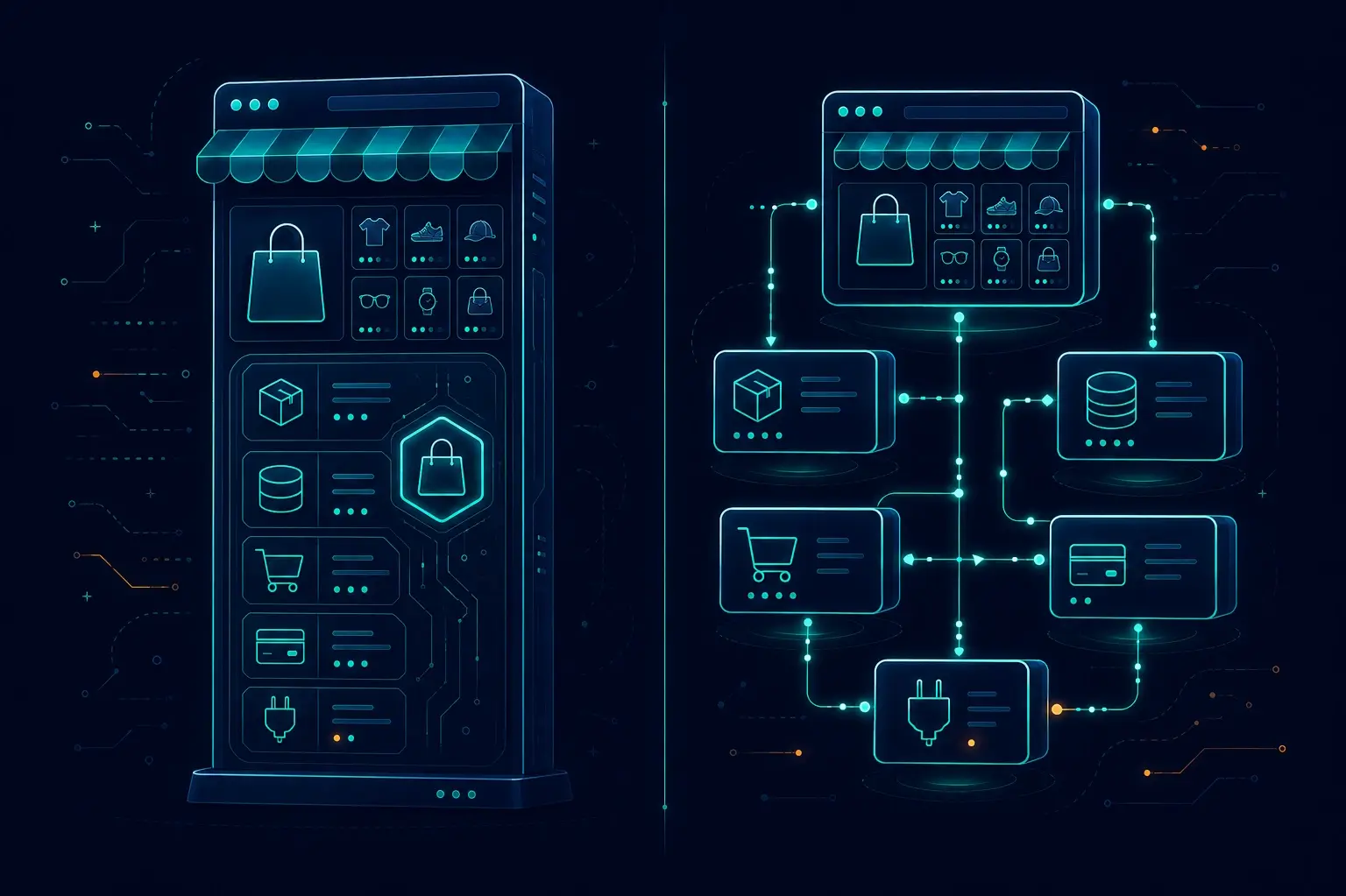
This is the single most common architecture question I get — and too many teams answer it with hype instead of their own constraints. Every Shopware 6 project hits that fork early on: do you build on the built-in Twig storefront, or go headless with a separate Vue/Nuxt frontend? Both are legitimate production choices in 2026. Both can fail you if you pick the wrong one. This post is my concrete framework for making that call — a side-by-side comparison, the gotchas nobody warns you about, and my honest recommendation.
What "Traditional" Means in 2026
The Shopware 6 default storefront is server-rendered HTML generated by Twig templates, styled via a theme system, and hydrated with Shopware's own storefront JavaScript. You get a fully functional shop out of the box, a mature plugin ecosystem, and a single application to deploy and maintain.
The part I want to call out for 2026: Shopware 6.7 overhauled the storefront build tooling, migrating to Vite. I've worked with the old tooling enough to say this matters — the DX improvement is real, and build performance is noticeably better. The traditional path is no longer stuck with legacy tooling. For many teams, the gap between "modern" and "headless" just got narrower, and that changes the calculus more than most people realize.
In short: one codebase, fastest launch, plugin ecosystem works out of the box, SSR by default.
What "Headless" Means in 2026
Going headless means the Shopware backend only serves your frontend through the Store API. Your storefront — typically built with Nuxt and Shopware Frontends — is a completely separate application. Shopware handles catalog, cart, checkout, and order management. Your Nuxt app handles every pixel the customer sees.
This is the architecture I described in depth in the headless game-changer post: maximum flexibility, independently deployable frontends, and the ability to serve the same backend to a web app, mobile app, or any other channel simultaneously. I find it genuinely exciting — when the use case calls for it.
In short: two codebases, higher build cost, higher performance ceiling, full design freedom.
Side-by-Side Comparison
| Dimension | Traditional (Twig) | Headless (Nuxt + Store API) |
|---|---|---|
| Performance ceiling | Medium — SSR is fast, but Shopware's storefront JS adds weight | High — full control over every asset and rendering strategy |
| UX / customization | Medium — theme system with limits | High — arbitrary component architecture, any design |
| Time to market | Fast — works out of the box | Slow — custom frontend from scratch or Shopware Frontends scaffold |
| Build cost | Low–Medium | Medium–High |
| Ongoing maintenance | Low — one codebase, one deployment | Medium–High — two codebases, two dependency chains |
| SEO control | High — SSR by default | High — if SSR/SSG is implemented correctly (Nuxt does this well) |
| Omnichannel / multi-brand | Low — storefront is tightly coupled | High — same API feeds any number of frontends |
| Plugin ecosystem | High — storefront + admin plugins both work | Partial — admin plugins work; storefront plugins do not |
| Team skills required | PHP + Twig + some JS | Vue/Nuxt + TypeScript, plus Shopware Store API knowledge |
| Hosting / ops complexity | Low — single app | Higher — Nuxt app needs separate hosting (Node, edge, or static CDN) |
The Plugin Gotcha Nobody Warns You About
I'll be honest — this is the one that surprises clients most. It's caught more than one team off-guard mid-migration: not all plugins survive the switch to headless.
Shopware plugins have two layers:
- Admin/backend extensions — these run entirely within the Shopware admin app. They are unaffected by your frontend choice. Payment providers, ERP connectors, and admin dashboards all continue to work.
- Storefront plugins — these extend the Twig templates or inject storefront JavaScript. In a headless setup, your Twig storefront simply does not exist. Any behavior those plugins provided must be re-implemented in your Nuxt app.
Before committing to headless, audit your plugin list. For every storefront-layer plugin you depend on, budget time to replicate that functionality in Vue. On a plugin-heavy store, this cost can surprise you significantly — make sure it's part of the total headless cost calculation. I've seen teams blow past their initial budget estimates precisely because they counted plugins too optimistically.
SEO: Busting the Myth
I've heard both sides of this one — "headless is better for SEO," "headless will kill your rankings." My experience: neither is universally true.
Traditional is SSR by default — crawlers get complete HTML immediately. Done.
Headless is only as good as its rendering strategy. A Nuxt app with proper SSR or SSG behaves identically for crawlers — and Nuxt makes this easy. The risk is when teams skip SSR and ship a client-rendered SPA. A misconfigured headless setup will hurt SEO; a properly configured one is indistinguishable from traditional.
My honest answer: SEO is an execution question, not an architecture question. Both can rank well. Traditional is lower risk if your team has no Nuxt experience. I've seen headless setups with excellent SEO and traditional shops with avoidable crawlability problems — the architecture was never the deciding factor.
Decision Checklist
Choose headless if you tick 3 or more of these:
- You need top-tier Core Web Vitals / performance and have tight CWV targets
- You want a fully custom UX that the Twig theme system cannot deliver
- Your store is content-heavy or CMS-driven, requiring flexible page composition
- You need omnichannel — web, mobile app, or multiple brands from one backend
- You have (or will hire) developers with Vue/Nuxt skills
- You have the budget to build and maintain two codebases long-term
Choose traditional if:
- Standard e-commerce UX is acceptable for your brand
- You have a smaller budget or a lean team
- Fast time to market is the priority
- You rely heavily on third-party storefront plugins
- You are selling on a single web channel with no multi-frontend plans
My Recommendation
Nine times out of ten I steer people to the default storefront — and here's why.
For the majority of Shopware projects, the modernized default storefront is the right choice. It ships faster, costs less to maintain, and — especially with the Vite build system in 6.7 — it produces a capable, performant storefront without reinventing the wheel.
Go headless when you have a concrete, unavoidable reason: a performance target the Twig storefront can't reach, a design brief that breaks every template constraint, or a confirmed need for multiple frontends. And only when you also have the budget and team to sustain a second codebase.
The stores that regret going headless almost always did it for one reason: everyone else was doing it. That is not a requirement. Don't architect for hype.
If the concrete reasons are there — if after the checklist above you're ticking 3+ boxes — then headless with Nuxt and Shopware Frontends is genuinely excellent. It's just not the default right answer.
Wrapping Up
The Shopware 6 stack is mature enough in 2026 that both paths are solid. Traditional gives you speed, ecosystem, and low ops overhead. Headless gives you flexibility, performance ceiling, and omnichannel capability — at real cost.
Run through the checklist honestly. If you're unsure which architecture fits your project, or you need someone to audit your current setup and plugin dependencies before making the call, that's exactly the kind of engagement I help with. Reach out and we can make the decision together before the first line of code is written.
Useful References
Enjoyed this?
Get new posts as they land.
Keep reading

Shopware 6 Meets AI Agents - What an MCP Server for Your Shop Could Do
MCP gives AI agents a standard way to talk to real systems. Here's what an MCP server over Shopware's Admin API could look like - the tool surface, the architecture, and the honest risks of letting an agent near a live shop.
Shopware 6.6 to 6.7 Migration Guide - Breaking Changes and a Safe Upgrade Path
Upgrading Shopware 6.6 to 6.7? Here are the real breaking changes - Vite, Symfony 7.4, Pinia, delayed cache - and a tested upgrade path that won't break production.
AI-Powered Product Search in Shopware - Semantic and Vector Search That Converts
Keyword search misses what shoppers mean. Here's how to add AI semantic/vector search to Shopware 6 with embeddings - the architecture, the tradeoffs, and a practical build.